Open top menu
Showing posts with label font. Show all posts
Wednesday, July 20, 2011
FONT BUREAU: HALO HANDLETTER


::::::TO DOWNLOAD FONT::::::

1.click on link above and choose the "click here to download" bttn to save to your computer
2.go to your computer (where ever you saved the file) and "right click" on zip file.
3.choose open to "extract file here" or if you have a " zip extract" program like Winzip or Yemzip (for mac) then choose that program to unzip the file.
4.once the file is "unzipped" move the font file to your font folder on your computer
5.once your file is in your "font folder" on your computer you can use it with any of your programs.


please note: your "font folder" can be accessed in any "Windows System" by going to "My Computer" then click on "(C:)", then "Windows" and there you will see a folder called "Fonts". That folder is your "Fonts Folder" where all your fonts are kept...add any new fonts to this folder.
Read more
Thursday, February 3, 2011
FONT BUREAU: JOLLY FONT

Fonts are something that everyone should have a lot of in their "arsenal " and their is literally a font for everything. I love San Serif fonts..clean, modern and able to be used in a multitude of ways, so the following is a good San Serif font to have in your "arsenal"

::::::TO DOWNLOAD FONT::::::
  1. click on link above and choose the "click here to download" bttn to save to your computer
  2. go to your computer (where ever you saved the file) and "right click" on zip file.
  3. choose open to "extract file here" or if you have a " zip extract" program like Winzip or Yemzip (for mac) then choose that program to unzip the file.
  4. once the file is "unzipped" move the font file to your font folder on your computer
  5. once your file is in your "font folder" on your computer you can use it with any of your programs.
please note: your "font folder" can be accessed in any "Windows System" by going to "My Computer" then click on "(C:)", then "Windows" and there you will see a folder called "Fonts". That folder is your "Fonts Folder" where all your fonts are kept...add any new fonts to this folder.
Read more
Tuesday, January 18, 2011
DIY CALLIGRAPHY: A TUTORIAL


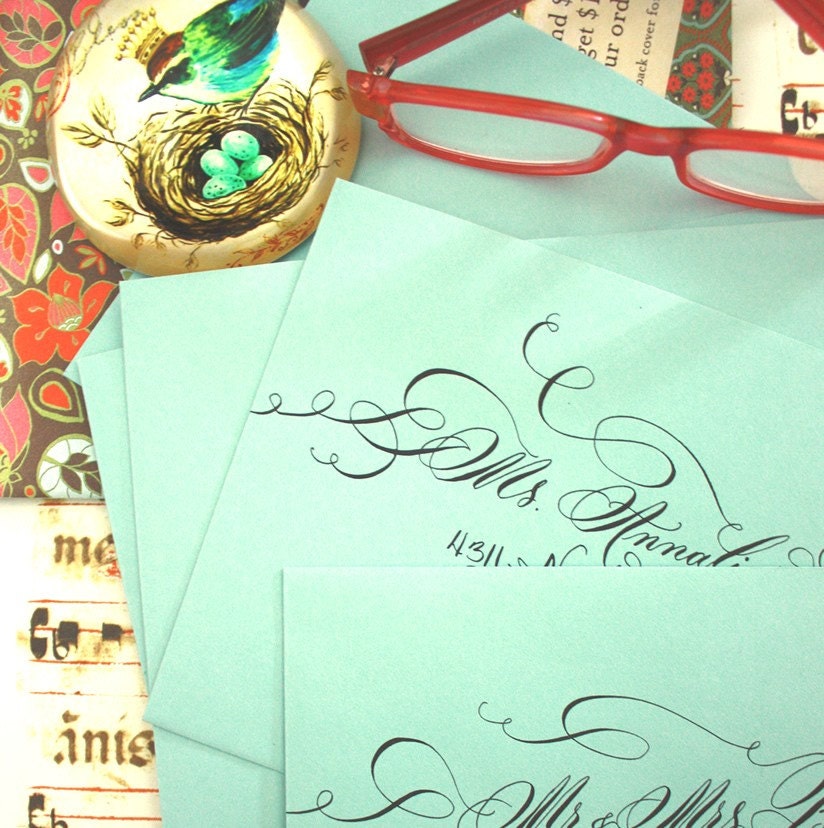
I have always had a secret obsession with calligraphy , especially those artist like eDanae, who still use the old-world method of steel-nib dipped in ink to produce these gorgeous products as pictured on the left. But, sadly, if you are lacking the steady hands or patience that a calligrapher needs...or your penmanship just sucks, there are options out there for those D.I.Y'ers.

The D.I.Y calligraphy tutorial is brought to you by Instructables. This method lets you create beautiful calligraphy with a minimal amount of stress and annoyance. For the full tutorial please visit the original post at Industructables.

All you need is a:
-printer
-envelopes(or whatever product you are using)
-removable scotch tape
-calligraphy ink
-calligraphy dipping pen

*LOOKING FOR A GREAT CALLIGRAPHY FONT? Try "Miss Brooks"
(click on font name to download)
PLEASE NOTE: you can buy calligraphy supplies from Dick Blick or any art supply store.
Helpful Hint: If you are putting calligraphy on envelopes, use Scotch Removable Tape and tack the envelope down with two pieces before you run it down the printer. This reduces the risk of the envelope flap jamming the printer.


picture courtesy of eDanae
Read more